Adapt still sizes its own intelligence to the work by default. Now you can override it. A picker in the composer lets you pin a chat to Deep, Balanced, Fast, or Super Fast when you know what the work needs, and Adapt holds that level for the whole conversation.
Pick a level
The picker sits in the composer toolbar, next to the attachment and integration buttons. It reads Auto until you change it.
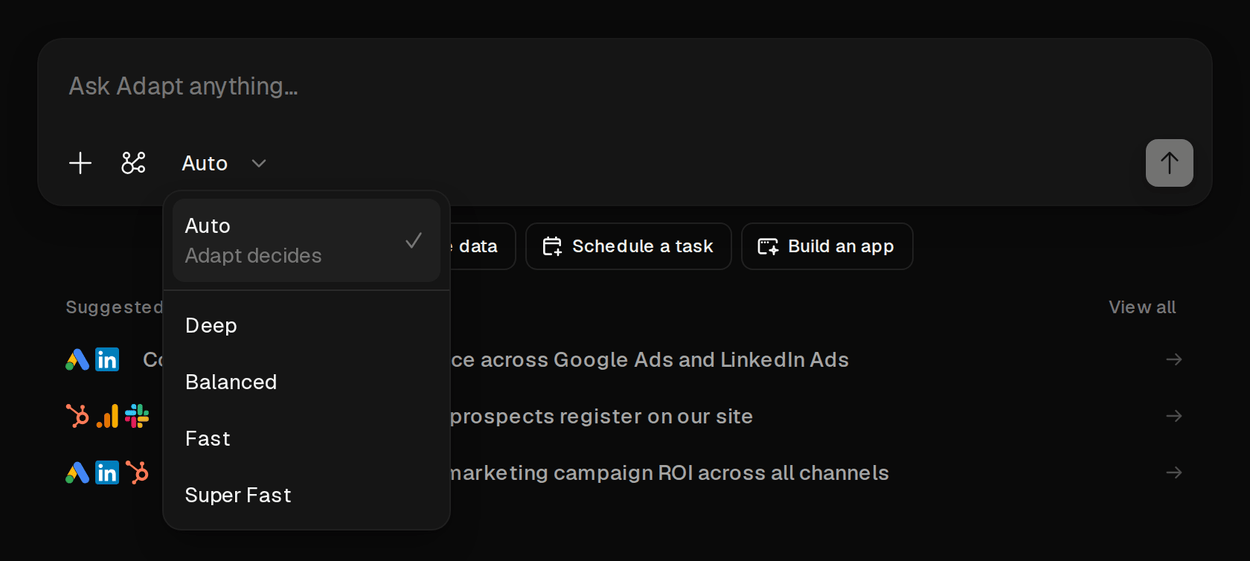
- Auto is the default. Adapt reads each task and matches its intelligence to the work, shifting levels as the work changes character.
- Deep puts Adapt's most capable reasoning on hard, open-ended problems.
- Balanced handles multi-step reasoning.
- Fast and Super Fast keep routine, well-defined work snappy.
It sticks
Pick a level on a new chat and it applies from the first message. Once a level is pinned, Adapt won't re-route the chat on its own, so a conversation you set to Deep stays Deep for every turn.
You can change it mid-conversation from the same picker in an open chat. Switch back to Auto to unpin the chat and hand routing back to Adapt.
Which models sit behind each level depends on your organization's model recipe, chosen by owners and admins under Settings > Intelligence.