Adapt still decides how much intelligence each task needs. Now you decide which models it reaches for. Owners and admins can pick a model recipe for the organization: a named set of models mapped across all four intelligence levels, chosen for cost, speed, or raw reasoning ceiling.

Pick a recipe

Go to Settings > Intelligence. Every recipe is laid out as a card showing exactly what you get: the model and reasoning effort behind Super Fast, Fast, Balanced, and Deep, whether the stack is Frontier or Efficient, and a relative cost indicator from $ to $$$$ so you can compare spend at a glance. The Intelligence settings page in Adapt, showing model recipe cards for the Anthropic stack, OpenAI stack, OpenAI stack Sol baseline, xAI Grok, and Open Source Select a recipe and it applies immediately to everyone in the organization. There’s nothing to publish or roll out.
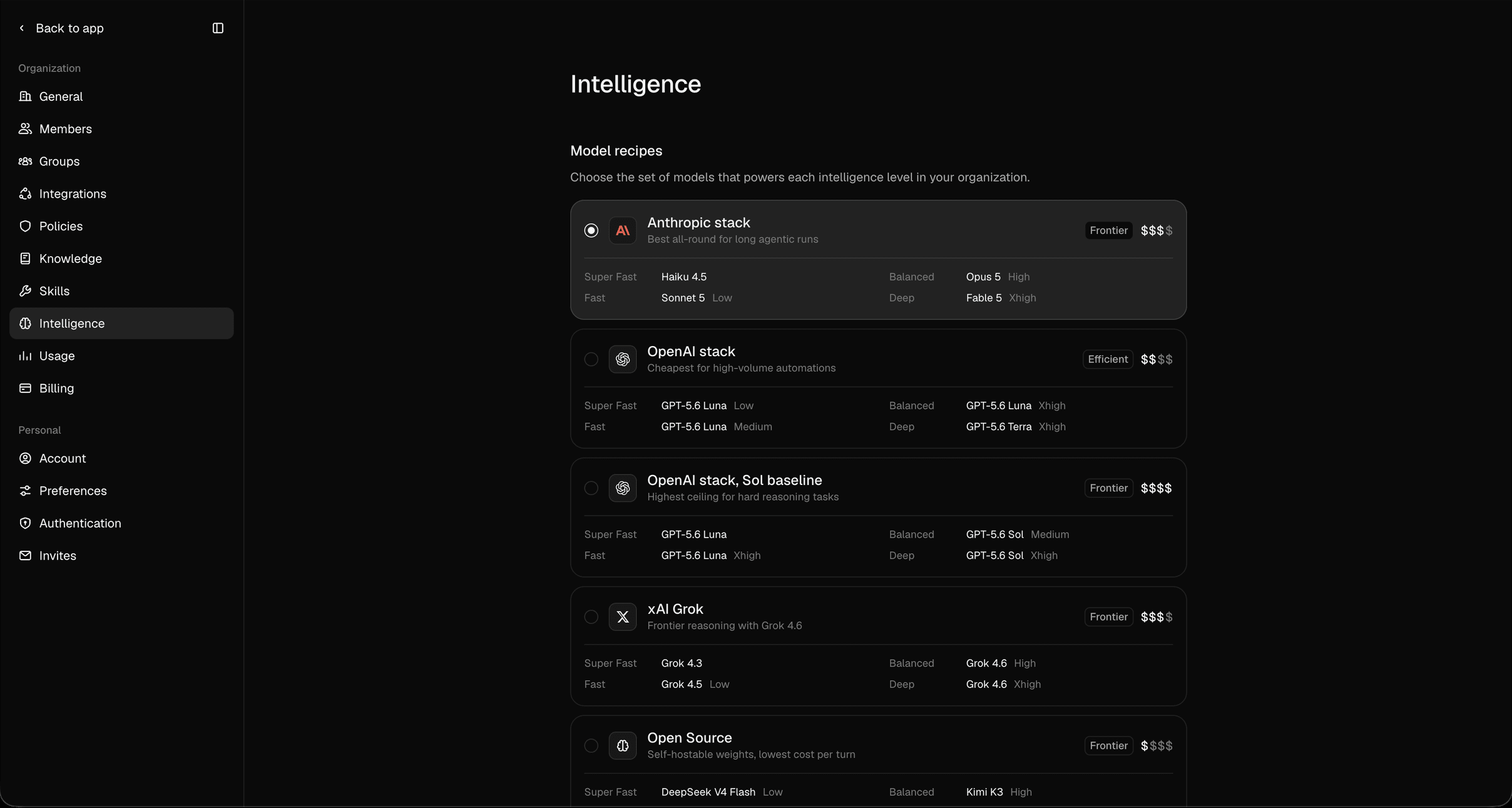
The recipes

New organizations start on the Anthropic stack.

What doesn’t change

You still never pick a model to send a message. Adapt reads the work in front of it and picks the intelligence level, the same as before. The recipe only decides which model answers at each level, so switching stacks is a single decision an admin makes once instead of a choice everyone makes on every request. The page is visible to owners and admins only. Members keep working exactly as they did. Adaptive Intelligence · Core concepts